After covering sports for a year with OM-1 MARK II, here are some tips to help you get the most out of yours.
It starts with the right lens.
Choose the right lens based on your distance to the action. OM SYSTEM boasts a wide range of glass for sports. The one-of-a-kind M.Zuiko ED 50-200mm F2.8 IS PRO offers a 35mm equivalent field of view of 100-400mm and its bright F2.8 aperture makes for a great choice, day & night. The M.Zuiko 150-400mm F4.5 TC 1.25x IS PRO gives incredible versatility for distance subjects with an equivalent range of 300-800mm at F4.5 – extendable to 1000mm at F5.6 with the built-in teleconverter. Need range with a bit greater brightness? M.Zuiko 300mm F4 IS PRO provides incredible sharpness & range at F4. All the lenses above feature dual sync IS so you can use handheld. Both the M.Zuiko ED 300mm F4 IS PRO offers a long 600mm equivalent field of view with incredible sharpness – a great choice for capturing action in the distance, and, thanks to’ dual image stabilization, you get to shoot it all handheld!
Not only are both lenses tack sharp, they both offer weatherproof, freeze proof & dustproof construction – which is important for working in the field.

1/800 sec | f5.6 | ISO3200

1/6400 sec | f2.8 | ISO200
Back-button Auto Focus.
Always use back-button AF. Back-button AF to allows for C-AF & S-AF functionality simultaneously & will greatly improve your hit rate. Thankfully, OM-1 Mark II comes set for back-button AF with a dedicated AF-ON button out of the box. Want continuous AF tracking? Back-button AF will keep you focusing wherever you move the AF point as long as you keep your thumb down on the button. Want single shot AF? As soon as your subject is in focus, release the AEL/AFL button. It’s that simple.
C-AF or C-AF+TR?
My E-M1X offers deep autofocus customization to ensure razor sharp output in a wide variety of shooting scenarios. Unlike some other recent sports cameras where all the focus is solely on object tracking, for the E-M1X, a great deal of effort also went into substantially improving simpler C-AF operation by adding Center Start and Center Priority Modes combined with custom AF target modes and newly developed AF algorithms.
By using C-AF with Center Start & Center Priority activated, it allows for full-time continuous AF beginning from the center of and restricted to the AF target points within my selected AF area. This allows me to stay tightly focused on the action I’m following at all times, while ignoring objects in the rest of the frame, and is my primary way of shooting sports on my E-M1X. You can further adjust this by creating custom AF target modes to decide how wide or tight an area you want the camera to focus in, and adjust the responsiveness by setting your sensitivity (MENU > ⚙ > A1 > C-AF Sensitivity). I generally keep it at +2 for standard C-AF.
For shooting long breakaways and erratic movement on the field, nothing beats C-AF+TR because it allows the tracking to start from the focus point you decide, then follow across the entire frame, as-needed, without you having to recompose or move your AF target point. Like standard C-AF, you can further customize performance by setting the responsiveness vs stickiness of the tracking (MENU > ⚙ > A1 > C-AF Sensitivity). I like to err on the side of maximum responsiveness, even if that makes the tracking less sticky, so I start at +2 then adjust downward as needed. If you accidentally focus on the wrong subject, simply release the AEL/AFL button and immediately re-press with the AF target point over your subject to restart tracking. For C-AF+TR, I always use the 5-point cross AF target mode, and find it works best.

1/1600 sec | f2.8 | ISO8000

1/1600 sec | f2.8 | ISO1250
Pro tip #1:
When shooting standard C-AF and moving your focus point around, set the joystick to return to a default position when you press it in the center. To set your default, simply go to MENU > AF > 6. AF Target Settings & Operations > 📷+ Set Home > AF Target Mode to set your target pattern & AF Target Point to set your default starting point on the frame.
Pro tip #2:
Set a custom default AF starting point for landscape (horizontal) and portrait (vertical shooting). Since I shoot a lot of rugby, this is a huge help for shooting the jump of the lineout and equally effective for soccer. To set, this is also under MENU > AF > 6. AF Target Settings & Operations > 📷 Orientation Linked [+].
Pro tip #3:
When using C-AF+TR, I find it works best in High Speed Sequential (SH2) drive mode. With zero blackouts, the camera never loses sight of the subject.
Pro tip #4:
When shooting sports, you don’t want the camera to get confused with any face other than your intended subject, so I recommend always turning all face/eye detection off.
The decisive moment.
OM-1 Mark II shoots up to 50 frames per second with zero blackout (SH2 / High Speed Sequential) with C-AF/AE and 10 FPS (mechanical. These are accessible under the drive modes from the Super Control Panel as well as MENU > 📷1 > 7. Drive Mode > Drive Modes & can be further customized under the same page under Sequential Shooting Settings.
For the best possible performance, get the fastest UHS-II V90 SD cards you can – rated for at least 300 MB/S write / 300 MB/S read. Although it wasn’t listed in the specs upon release, the SD Card slots in OM-1 Mark II are upgraded from OM-1 to take full advantage of the latest UHS-II speeds.
When shooting in daylight conditions, using SH2 will provide you the best possible performance since you never lose sight of the action & can give you more frames to choose from when needed. However, there are several scenarios in which using the traditional mechanical shutter might be preferable work:
- If there’s loads of LED signs on wall of the field, silent shutter can cause streaking in the background. Mechanical shutter can too sometimes, but it’s rare & not near as pronounced.
- Shooting at 10 FPS offers the deepest buffer and
- Shooting at 10 FPS Sequential (mechanical) can offer slightly improved detail at high ISO settings
The OM-1 Mark II shutter is rated for a minimum of 400,000 attenuations, so you’re not going to run it down any time soon. Use the mode that best suits your shooting scenario.
Pro Tip:
To further adjust your frame rate to your sequential frame rates go to MENU > 📷1 > 7. Drive Mode > Sequential Shooting Settings.
My personal recommendation:
Sequential (mechanical): 10 FPS
Silent Sequential: 15 FPS
High Speed Sequential (SH2): 12.5 FPS

1/3200 sec | f2.8 | ISO200
Mind your exposure.
For sports, most people would tell you to shoot in Shutter Priority to guarantee a fast shutter, but I also want the widest aperture possible at all times. For this reason, I always use Aperture Priority but maintain control my shutter speed by simultaneously using Auto ISO with a minimum shutter speed of 1000-2500 and a max ISO of 6400-12,800. I apply exposure compensation as needed to fine tune my exposure & keep my camera at the minimum ISO necessary. Using Auto ISO can get you in trouble if you’re not monitoring your exposure. As an alternative, you can also program ISO to one of the dials to quickly adjust on the fly.

1/2000 sec | f2.8 | ISO1250
Pro tip #1:
Stay in tight control of your exposures – especially in program AE modes. What’s your backdrop like? Is it the shady or sunny side of the stadium, blue sky, or a forest of trees at the end of the field? Cameras will read darker colors as darkness, so in these situations you’ll likely want to apply negative exposure compensation to avoid both blowing out players in front and/or raising the ISO unnecessarily.
Pro tip #2:
For the cleanest possible high ISO output, I recommend:
Use mechanical shutter when shooting night sports
Use the option grip & keep one BLX-1 battery in the grip (none-in body). Batteries heat up & by keeping the battery in the grip, you’ll reduce the thermal load on your OM-1 Mark II. A cool sensor = a cleaner sensor.
Follow these tips & for consistent results every time!
Any questions? Feel free to DM me on Instagram: https://www.instagram.com/daveywilson/
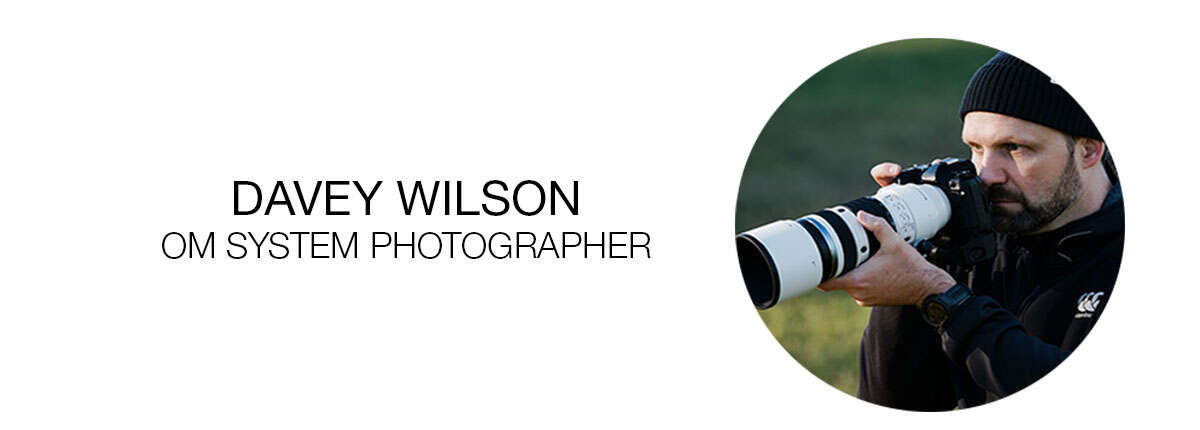
Davey Wilson is an award-winning commercial, sports, lifestyle & documentary photographer. Known for natural ability to capture the raw moments of athletic competition, Wilson’s images depict the life of the athlete like no other. A longtime rugby aficionado, Wilson is widely regarded as the original Major League Rugby photographer – covering the league continuously from its early days to its creation & ongoing evolution. His unique fly-on-the-wall perspective helped shine a light on the rise of rugby in the US while inspiring a new generation of rugby photographers worldwide.
Beyond rugby, Wilson has served as team photographer for the Hagens Berman Axeon Cycling Team led by Axel Merckx – following the team throughout the US, Canada & Spain. His photography has been featured internationally in publications like The Rugby Journal, Velo, and Cycling News, among others. In addition to his sports work, Davey Wilson has collaborated with brands like Degree, The North Face & many more.